
В Windows 11/10/7 при запуске программ или игр может возникнуть ошибка, что «Точка входа в процедуру CreateDXGIFactory2 не найдена в библиотеке DLL dxgi.dll» или «Запуск программы невозможен, так как на компьютере отсутствует dxgi.dll».
Dxgi.dll относится к компоненту DirectX и отвечает за работу графики. Является предустановленным в системах Windows 11/10, но не в Windows 7. Сама библиотека Dxgi.dll находиться в папках syswow64 и system32, что означает, библиотека dxgi.dll имеет две разрядности: x32 и x64.
Виновником, когда библиотека dxgi.dll не найдена или отсутствует может быть повреждение самого файла, реестра или данного файла просто нет в системе и программа, игра не может обработать нужные процессы для запуска.

- Скачать dxgi. dll и исправить ошибку в Windows
- Установка Visual C++
- Проверка целостности файлов
- Скачать оригинальный dxgi. dll
- Get Rid Of Sweetfx
- Switch To The Previous Version Of Nvidia Drivers
- Rename A Dll File
- Updated Graphics Card Driver
- What is SweetFX?
- What causes Createdxgifactory2 could not be found or located?
- 1] Copy the dxgi. dll file in the game folder
- 2] Rename the dxgi. dll file
- 3] Rollback the Graphics Driver
- 5] Uninstall SweetFX
- How do I fix Procedure entry point could not be located?
- 1] Reinstall the program
- 2] Run System File Checker
- 3] Re-register the DLL file
- 4] Run Registry Cleaner
- 5] Use Dependency Walker
- 6] Check details in Event Viewer
- Rename the dxgi. dll file to something else
- Locate the dxgi. dll file in the System32 folder and copy it
- Remove the game’s SweetFX files
- Revert to a previous version of the graphics card driver
- GeForce Experience should be uninstalled
- Conclusion
- User Questions
Скачать dxgi. dll и исправить ошибку в Windows
Так как библиотека dxgi.dll относиться к компоненту DirectX, то логичным будет его установить или переустановить для Windows.
Установка Visual C++
Для правильной взаимосвязи компонентов dxgi.dll, иногда нужен Visual C ++ последней версии, но перед этим вы должны удалить текущие установленные.
Проверка целостности файлов
Так как в Windows 11/10 библиотека dxgi.dll предустановлена, то она могла повредится. Проверим и восстановим системные файлы, если они повреждены.
Запустите командную строку или powershell от имени администратора и введите ниже команды по очереди, дожидаясь окончание процесса каждой.
Скачать оригинальный dxgi. dll
Если выше вариант вас не устраивает, то вы можете взять оригинальный dxgi.dll на другом ПК, или попросить у друга, чтобы он его скинул по интренту.
Расположение файла dxgi.dll
Файл находиться по двумя путям C:WindowsSysWOW64 и C:WindowsSystem32. Только есть одно но, 32(x86)-битный файл dxgi.dll нужно закидывать в SysWOW64, а x64-битный dxgi.dll в System32. Так устроено в Windows, что разрядности хранятся наоборот.

According to some tech geeks, this error is related to SweetFx. However, some say it is an issue with NVIDIA drivers. No matter what, we will provide you the best possible solution to fix this error code.
Get Rid Of Sweetfx

Switch To The Previous Version Of Nvidia Drivers

Rename A Dll File

Updated Graphics Card Driver

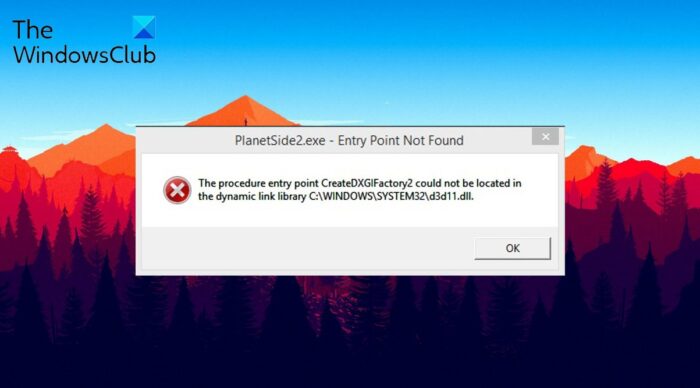
the procedure entry point createDXGIFactory2 could not be located in the dynamic link library c:WindowsSYSTEMd3d11.dll
I’m gonna post this here in case someone in the future has the exact same problem as me, because I just fixed it.
Caused by: Something about SweetFX, textures/retexturing, I’m not sure. I managed to piece together this solution by talking to people who make Skyrim porn mods on the SweetFX forums. It’s definitely caused by visual updates to the game.
Solution:1. go to your games folder (usually Program Files (x86)/steam/steamapps/common/Vampire The Masquerade — Bloodlines)2. Locate dxgi.dll. (If it’s not there, go to (C:)/windows/system32 and copy+paste it from there.)3. Rename dxgi.dll to d3d11.dll in your game folder
I don’t know why it worked, but it did, and now I don’t have to sacrifice a small animal every time I want to launch the game!
The procedure entry point Createdxgifactory2 could not be located in the dynamic link library C:WINDOWSSYSTEM32d3d11.dll.
What is SweetFX?
Windows PC features Direct3D API, and it takes into use the installed graphics card to process and render 3D images in the games. To be very specific, Direct3D activates the options like texture, anti-aliasing, shader and more in different games. Comes to SweetFX, it injects shader parameters to process and adjusts the in-game settings.
In most games like Minecraft, you can install different mods. These mods change the game files and enhance the original game quality. On the other hand, SweetFX only adjusts the game’s saturation, color and shadow. In short, SweetFX enhances the cinematic gaming experience without affecting the FPS.
What causes Createdxgifactory2 could not be found or located?
There can be multiple reasons why you are coming across the error screen. But among all, below are the major reasons triggering the issue.
Now that you know all the major reasons causing the issue let’s check out how to fix them.
Below is the list of effective solutions you can try if you come across Createdxgifactory2 could not be found or located error on your PC:
Now, let’s check out all these solutions in detail.
1] Copy the dxgi. dll file in the game folder
The first solution you can try is to copy the dxgi.dll file in the game folder. The mentioned message is related to the dxgi file, which by any chance gets corrupted, you will face the error screen. To solve the problem, you will have to replace the file. Here’s how it’s done.
To begin with, open File Explorer using Windows + E shortcut key.
Navigate to the below mentioned location.
Click on the search icon present at the top-right corner, type dxgi and press the enter key.
Copy the dxgi.dll file.
Go to the location where you have installed the game.
In the location, paste the copied file.
If Replace or Skip Files prompt pops up, click on Replace the file in the destination.
Now restart your system, and launch the game. Check if the problem continues; if yes, try the next solution.
2] Rename the dxgi. dll file
The next thing you can try to solve the problem is to rename the dxgi.dll file. Here’s how it’s done.
That’s it. Refresh the system, and launch the game. Check if you are still facing the problem.
See: How to fix or repair corrupted or damaged Registry
3] Rollback the Graphics Driver
As mentioned, the problem can also occur due to corrupted system files. And the best thing you can do to repair these files is to perform an SFC scan. Go through the process and check if it is also a problem.
5] Uninstall SweetFX
If none of the solutions were helpful, the last thing you can try is to uninstall SweetFX. Here’s how it’s done.
Read: Fix combase.dll missing or not found error
How do I fix Procedure entry point could not be located?
Read Next: OneDrive.exe Entry Point Not Found on Windows 11/10.
This post will help you if you receive an error message – Entry point not found, The procedure entry point could not be located in the dynamic link library on your Windows computer. This error can occur if a program fails to locate the DLL library which it needs to run. It could also occur if the library is not in a directory specified in the path or if the DLL has gone missing or corrupted.
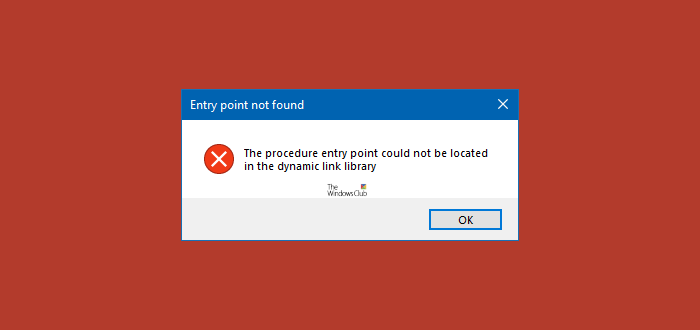
If you face this error, here are a few things you could try:
1] Reinstall the program
Reinstall the program which is throwing this error. Better still, uninstall it, download the latest setup file and install it.
2] Run System File Checker
You may Run System File Checker to replace potentially corrupted system DLL files.
3] Re-register the DLL file
If the file in question is a legitimate DLL file that is required by one of your programs, you could try and re-register this DLL file. The Regsvr32 tool is a command-line utility that can be used for registering, and un-registering OLE controls as DLL and ActiveX (OCX) controls in the Windows operating system. If you find that some of your Windows functions are not working properly, you may need to register your dll files.
4] Run Registry Cleaner
Run CCleaner or any other good Registry Cleaner to clean up the residual registry and file junk
5] Use Dependency Walker
Use freeware Dependency Walker to troubleshoot, if a specific program of yours is not loading, or a service is failing to start with an error pointing to a specific dll. You can load that program or dll in Dependency Walker, to see which file is failing to load or what module is causing the problem – and then fix it.
6] Check details in Event Viewer
If nothing helps, you may need to open the Event Viewer and check for error messages or codes caused for this file.
Hope something helps!
Related read: Fix Failed to load DLL file error message.
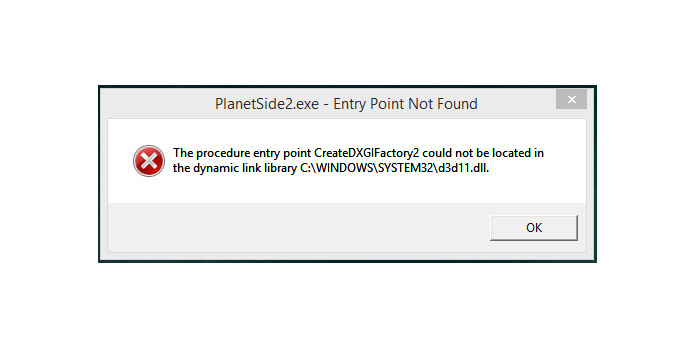
Here we can see, “How to: Fix Createdxgifactory2 Could Not Be Located”
The procedure entry point CreateDXGIFactory 2 could not be found in the C: WINDOWS SYSTEM32 d3d11.dll dynamic link library.
When consumers launch the games, an error notice appears. Although games may not always crash upon launch, they frequently do so once that error message appears.
When you get the entry point createdxgifactory2 issue, you can rest assured that scanning your system is the simplest solution.
To do so, download Restoro, a fantastic utility that automatically examines your system for hardware, software, security, and stability issues.
Furthermore, the program will present you with a comprehensive summary of the problem, and it will correct everything for you with a single mouse click.
Rename the dxgi. dll file to something else
The procedure entry point error can be fixed by renaming the dxgi.dll file for the game where the problem occurs.
Locate the dxgi. dll file in the System32 folder and copy it
Some customers have also reported that copying a fresh dxgi.dll file into the game’s folder fixed the process entry point error.
Remove the game’s SweetFX files
Delete SweetFX files from the game’s folder is another confirmed workaround for the procedure entry point error.
Revert to a previous version of the graphics card driver
Consider reverting the driver if you get a procedure entry point problem after updating a graphics card driver.
GeForce Experience should be uninstalled
A few customers have reported that uninstalling GeForce Experience fixed the procedure entry point error for them.
Conclusion
I hope you found this guide useful. If you’ve got any questions or comments, don’t hesitate to use the shape below.
User Questions
1. How can you fix the Skidrow procedure entry point not being found in the dynamic link library Skidrow dll error?
Reinstalling the software is the best option to fix the procedure entry point skidrow that could not be found in the dynamic link library. You can use any of the top uninstallers listed in our previous post to remove an application without leaving any leftovers.
2. What is a DXGI dll file and what does it do?
Microsoft created the Dxgi. dll file, often known as the DirectX Graphics Infrastructure file, for the development of the Microsoft® Windows® Operating System. The DLL (dynamic link library) file type is part of the Win32 DLL (dynamic link library) file category. In Windows 10, Windows 8.1, and Windows 8, dll is included in the software package.
3. What is the meaning of DXGI?
The DirectX Graphics Infrastructure (DXGI) from Microsoft recognises that some aspects of graphics improve at a slower pace than others. DXGI’s main purpose is to handle low-level activities that are not dependent on the DirectX graphics engine.
4. “entry point Create DXGIFactory2 could not be located in the
«entry point Create DXGIFactory2 could not be located in the dynamic link library dxgi.dll» error, I’m on Windows 7. Is there hope for this? from RAGEgame
5. “The procedure entry point CreateDXGIFactory2 could not be
«The procedure entry point CreateDXGIFactory2 could not be located in the dynamic link library C:WINDOWSSYSTEM32d3d11.dll.» from swgemu


